Module attributes
Module attributes are the configurations for a particular module in the learning journey, they are different for different module types.
Activation: Conditionally activating the module. Learners will only be able to attempt the module when the condition is met.
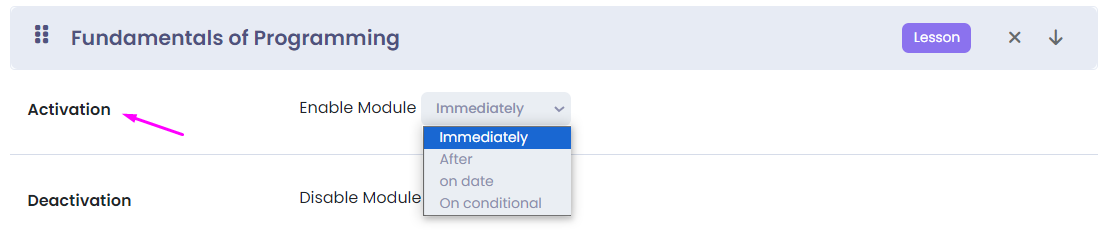
- Immediately: This is the default option. The learners are able to start attempting the module as soon as the learning plan is started.
- After:
- Minutes: After some minutes of completion of the previous module.
- Hours: After some hours of completion of the previous module.
- Days: After some particular days of completion of the previous module.
- On Date: Enable the module on a particular date and time.
- On Condition:
Score/Points are Greater than or equal to/Less than some percentage of the previous module.
Deactivation: Conditionally deactivating/ending the module. Learners will not be able to attempt the module after the condition is met.
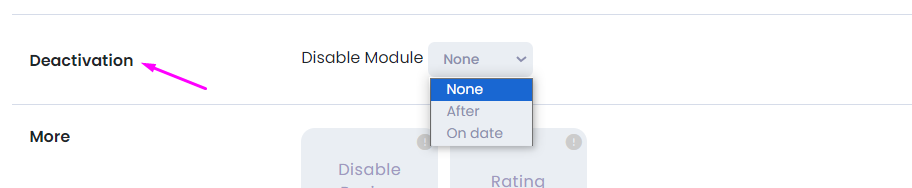
- None: This is the default option. The module stays available to be attempted throughout the learning plan start and end date.
- After: Disable the module for attempting after a particular days of activation of the module. When the module gets disabled, no learner will be able to attempt the questions of the modules. The learners who have already completed the module can still review the module.
- On Date: Disable the module for attempting after a particular date and time. When the module gets disabled, no learner will be able to attempt the questions of the module. The learners who have already completed the module can still review the module.
Some module attributes are only available for Quiz, these are:
- Multi Attempts
- Set time limit
- Show feedback
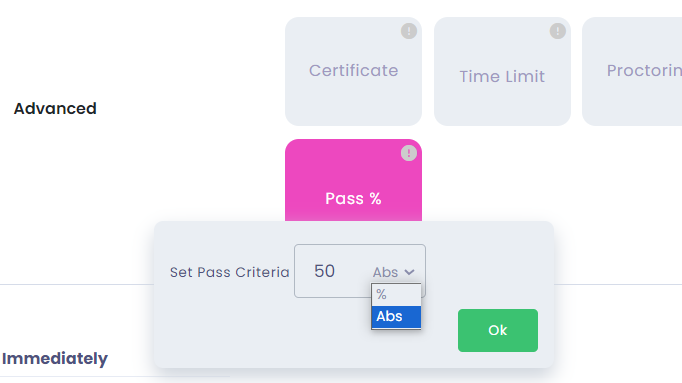
- Set pass percentage
- Randomize Questions
- Proctoring
- Tab lock
- Video Record
- Image capture
All Module Attributes Explained:
Multi attempts: Set the number of times learners are allowed to reattempt the module. When a learner reattempts a module, all previous inputs will be deleted, and a new module training will be launched.
Disable Review: Restrict users from reviewing the training after completing the training once.
Rating: Enabling rating and feedback popup after a learner completes this module. We can make the rating mandatory too.
Advanced Attributes:
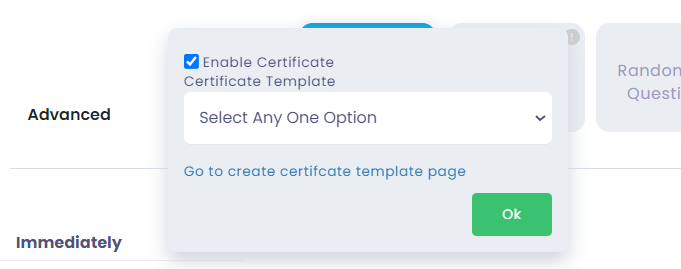
Certificates: Set a certificate on completion of the module. The learner will be able to download a PDF of their certificate. You can either select the template from the existing ones or you can create a new certificate template.
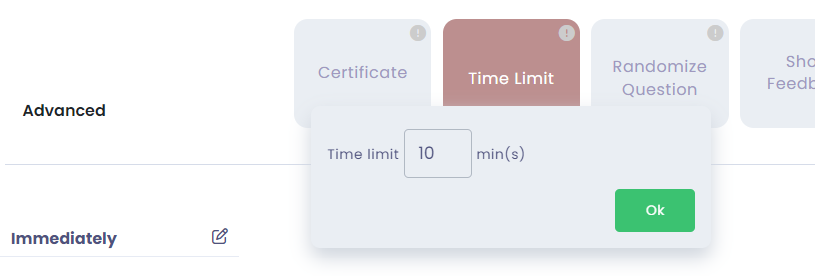
Time Limit: Set the time allotted to complete the Quiz. If the learner is unable to complete the quiz, he will be kicked out and his training will be marked as completed with the questions they have attempted so far.
Proctoring: Anti-cheating tech: Recording audio, video, or capture images during the test. Tab lock setting will discourage the users from moving away from the training screen. If the user changes the tab 3 times then he will be kicked out from the training.
We can set up video recording which will capture short videos while the training is being attempted. You also have the option to capture images which will be captured at intervals. All the videos/images will be available in the reporting module, where you can check if there were any attempts of cheating.
Randomize Questions: Change the sequence of questions for every learner. Change questions by serving a limited number of questions from your available questions of the module.
Show Feedback: Set if the feedback of the selected answer should be shown after the learner has submitted their answer.
Pass Percentage: Set a pass percentage for the module.