Assets that you create for one company are leverageable across all your companies.
In your Enterprise/Agency account, you will see an additional field to make this global
you will see this when you create a learning plan or Module
Global Learning plan
You can choose to make any learning plan global that you plan to use in more companies by flipping this switch on.
Once a Learning plan is made global it will show up in your other companies learning plans grid/card view with a globe icon next to it like this.

The default state of the global Learning plan is disabled, once you plan to use that you can enable the module from the list view or just open the module and enable it.
You will need to update the learning plan with relevant configurations, for example,
learning plans are assigned to profiles, that are unique to all companies, once you use a global learning plan you have to select a Learner profile that is of that company. Also, add the start date and end date of the learning plan and save the learning plan. Once you save the particular learning plan, it will be saved as a Learning plan in that company account and the global Learning plan will disappear.
Global Module
You can make any module global from any company, it will appear in the module view.
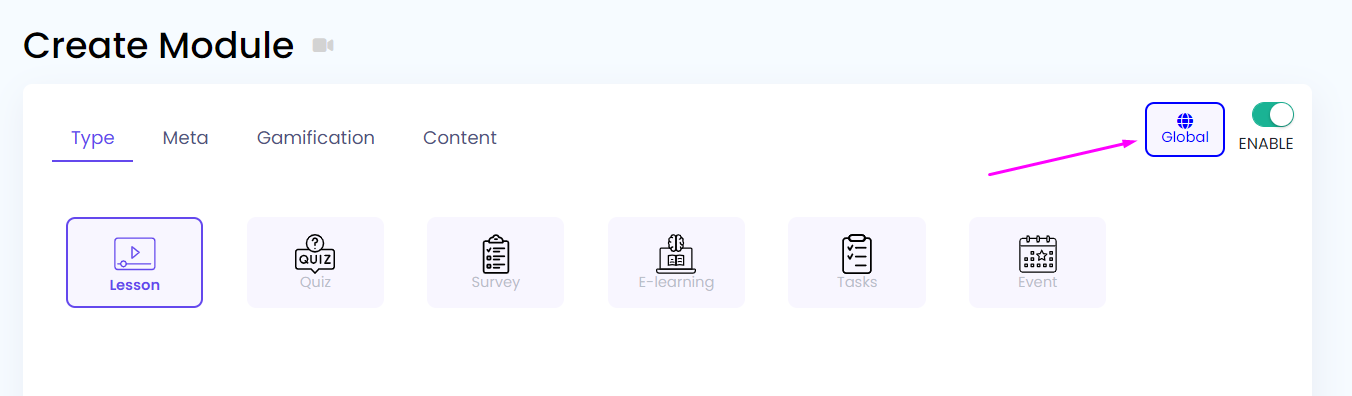
You can choose to make any module global that you plan to use in more companies by turning on the switch.
Once a Module is made global it will show up in your other companies module grid/card view with a globe icon next to it like this.

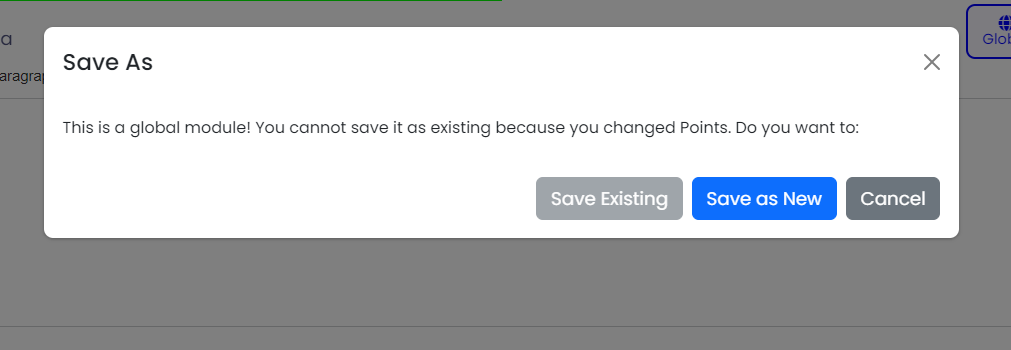
Global modules can be updated in other companies or their copy can be created. Similarly, its questions can be saved in the child company or updated globally.
Any quickly assigned learners saved in the original learning plan will not be shown in other companies as all the companies have unique users.
you can change the module and save it as a copy or update the original global module.
Badges in Global Learning Plan/Module
If a badge is set in a global module or learning plan, then that badge can be used globally. But the admin can make changes to it and click on the save button of the badge in the child company to make its copy in the child company. The badge added to the global module/ learning plan will be shown in the badge UI only if the user of that company was allotted the badge. However, the global modules list will not be shown in the badge UI.
Triggered Messages in Global Learning Plan/Module
If a Trigger message of the global module is created in the parent company, then a warning message will be shown there. If that global module is used in the learning plan of the child company, then the triggered message will be created.
Tip: Do not create canned messages for global modules or make a copy of the global module in the child company so that no global triggered message is created.
