You can create lessons in multiple ways, from a variety of assets like
Page
Create a rich webpage with images and videos, audio, embeds, or multimedia
Document - Upload any existing document like PowerPoint, Excel, or Word document
you can create a page of any length, it gives a scrollable experience to the learner
💡 save the document as PDF for quick upload
Video -
You can upload a video file from your computer with formats like .mov, .mpeg...more allowed formats
you can use a file from your media library
you can also use a YouTube URL
Embed
any web resource - embed any asset like the podcast, sound cloud by copying and pasting the embed code here
Embed Settings
⚒ Create a New Lesson
Choose the Type of Module as a Lesson
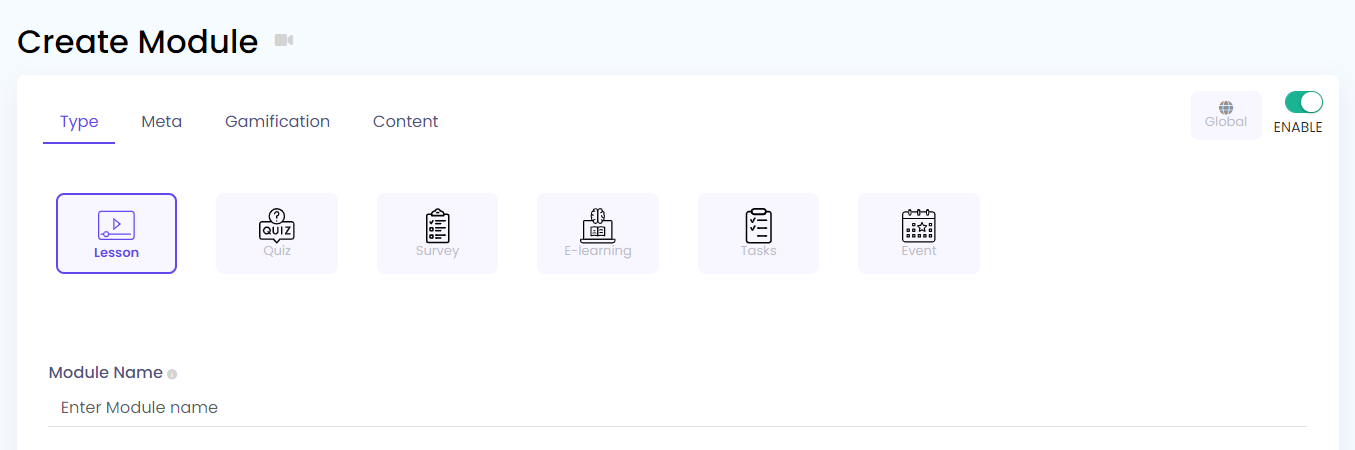
Fill Meta Information:
Meta information is the header information of the content
Name
Description
Image
Tags
Gamification
Badges
Points
Question Types available in Lesson Module :
- Page - You can create a rich webpage with the help of the editor provided.
You can add paragraphs, headings, bulleted lists, numbered lists, links, quotes, tables, videos, etc. from the provided editor.
You can also copy any rich formatted text from anywhere and paste it into the editor it will paste with all the formatting. - Media - You can add different types of media here like using a YouTube URL, Embed a video, or upload a video.
You can upload a new video on the spot or upload an existing video from the media gallery popup that appears on clicking the "Upload Video" option.
- Document - You can upload a new document here like Excel files, PDFs, Word documents, PPTs, etc. or you can choose an existing file that you had uploaded earlier from the media gallery popup that appears by clicking the "Click here to Upload" button.
Show download link, which will show a link to the user to download the file while attempting training.